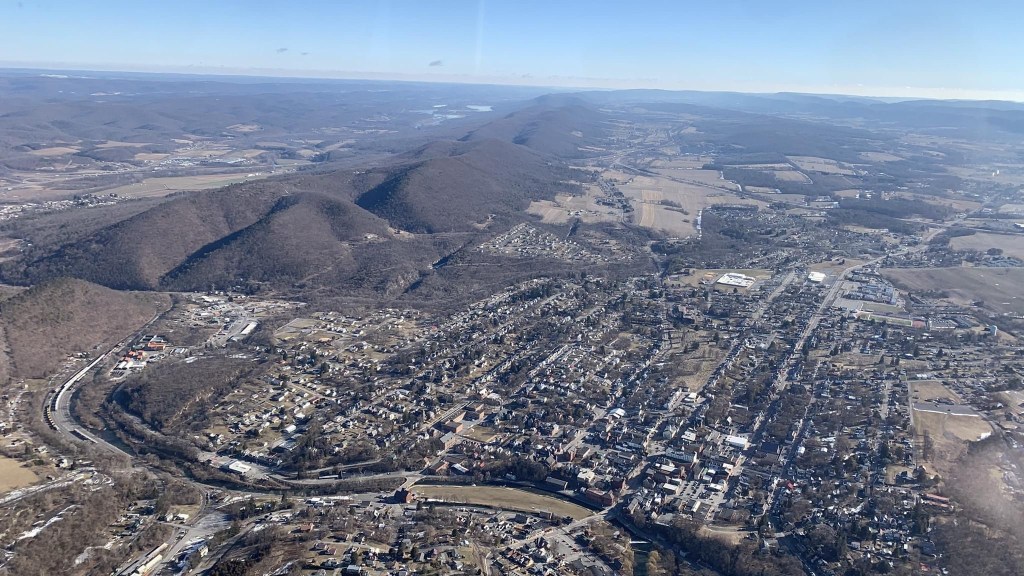
This is the town of Bellefonte, PA, looking NE. The image was taken from 3000’ MSL by a local pilot. Bellefonte is the Centre County seat.
Bellefonte was the initial stop on the first scheduled west-bound air mail flight made by Pilot Leon D. Smith on December 18, 1918. The site for the field was chosen by pioneer aviator Max Miller and was in regular use for air mail until 1925. The field was located at the center right of the image. It became a major refueling stop for mail traveling between New York and Chicago. This leg of the flight was called “hell stretch” because of the fog shrouded ridges of the Allegheny Mountains. Six pilots would lose their lives. One pilot used a half empty whiskey bottle strapped to his dash to tell when his wings where level!
March was 5.3 deg F above normal for temperature. The high for the month was 69.9 deg. F, recorded on March 25. The low for the month was 13.7 deg F, recorded on March 7. There was 1 day where the maximum temperature was at or below 32 F, and there were 20 days where the minimum temperature was at or below 32 F. There were 697 heating degree days and 1 cooling degree day.
March was a below normal month for precipitation with 2.96 inches of rainfall recorded, which was 0.86 inches below normal. The maximum rainfall in a single day was 0.87 inches recorded on March 18. There were 9 days of rain >.01 in, 6 >.10 in and 0 > 1 in.
February was 1.2 deg F below normal for temperature. The high for the month was 58.1 deg. F, recorded on February 24. The low for the month was 2.8 deg F, recorded on February 8. There were 14 days when the maximum was at or below 32 F and 26 days when the minimum temperature was at or below 32 F. There were 1031 heating degree days and 0 cooling degree days.
Due to the ice and snow accumulation, which fouled the electronic rain gauge, precipitation data was collected from a nearby CoCoRaHS (PA-CN-18) station. February was an above-normal month for precipitation with 2.52 inches of rainfall recorded, which was 0.25 inches above normal. The maximum rainfall in a single day was 0.68 inches recorded on February 16. There were 18 days of rain >.01 in, 9 >.10 in and 0 > 1 in.
There were 28.3 inches of snow for the month, with a maximum daily total of 6.4 inches on February 1. The 3-day total recorded on February 1-3 was 14.9 inches.
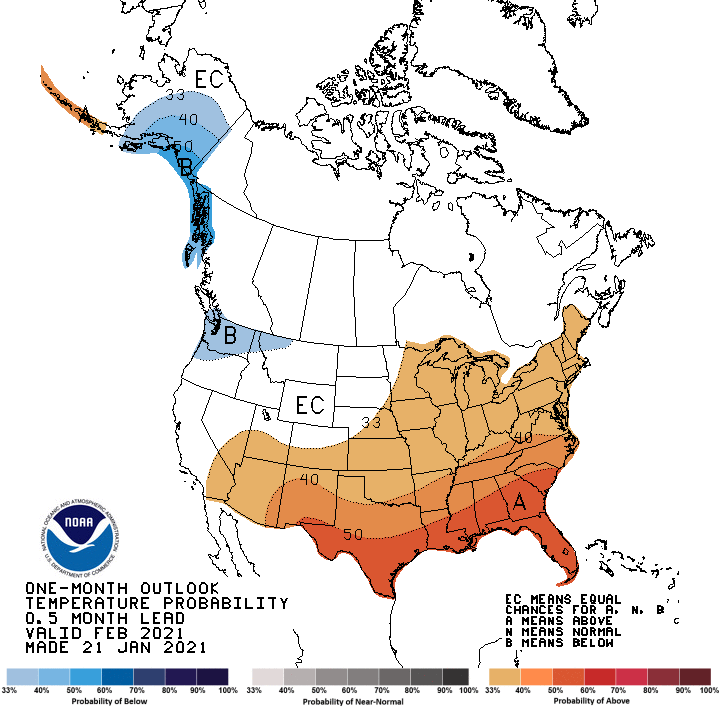
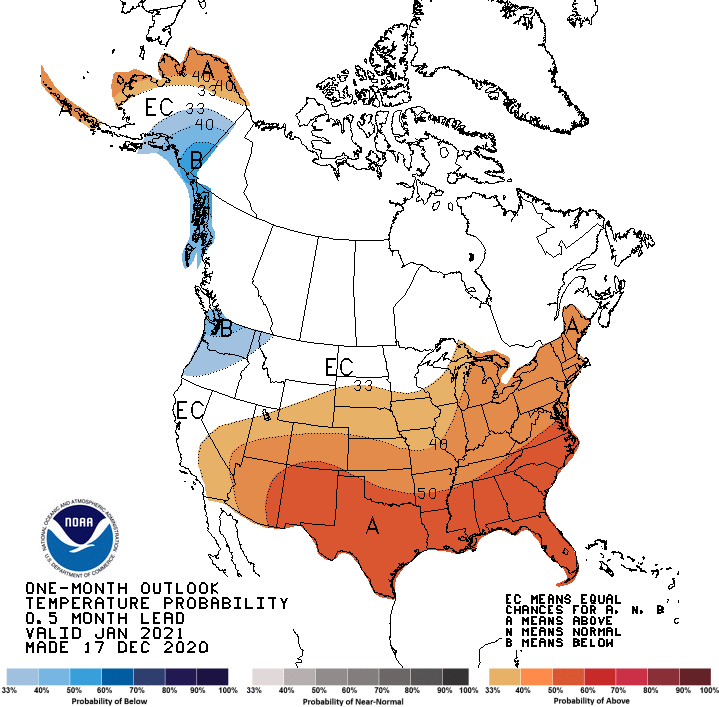
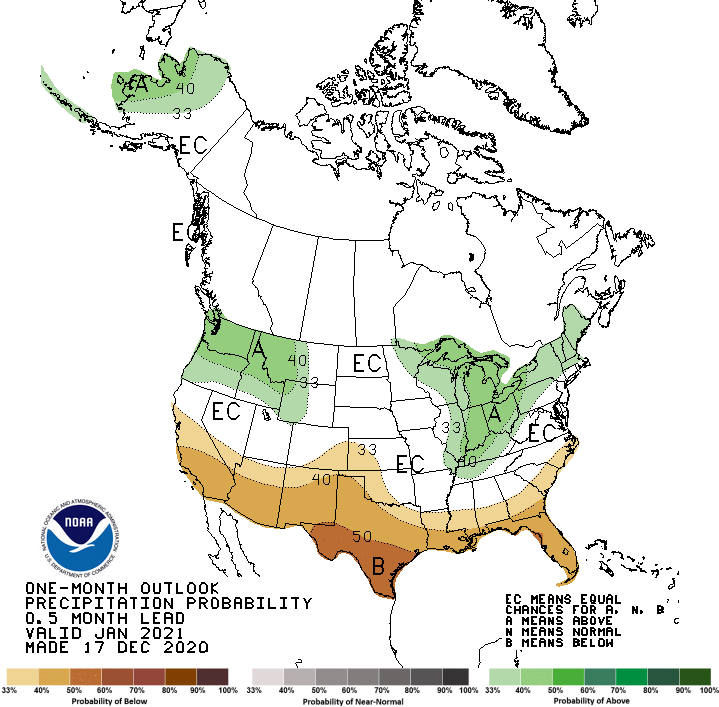
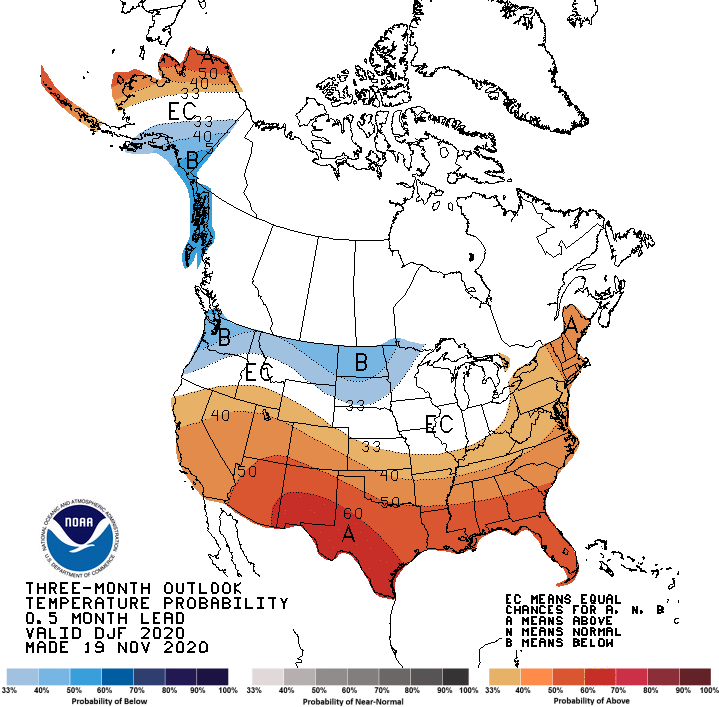
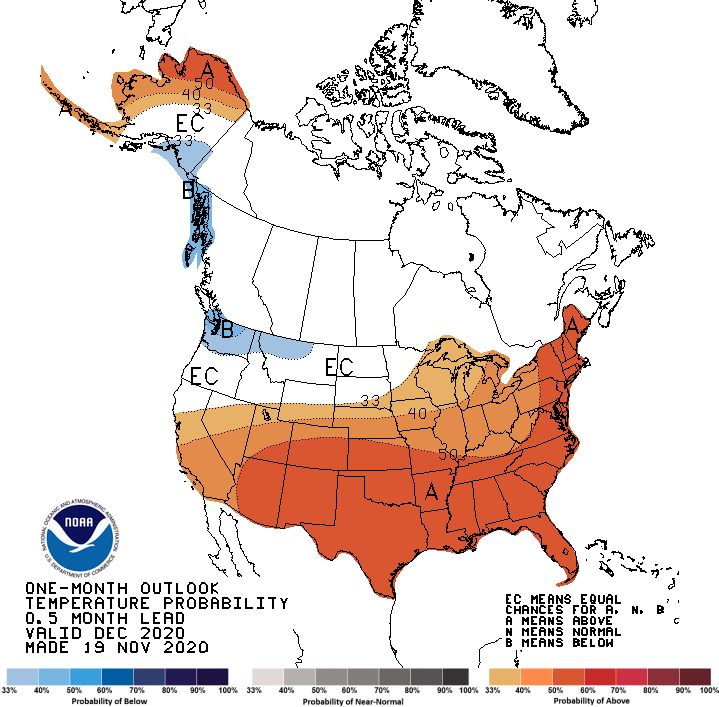
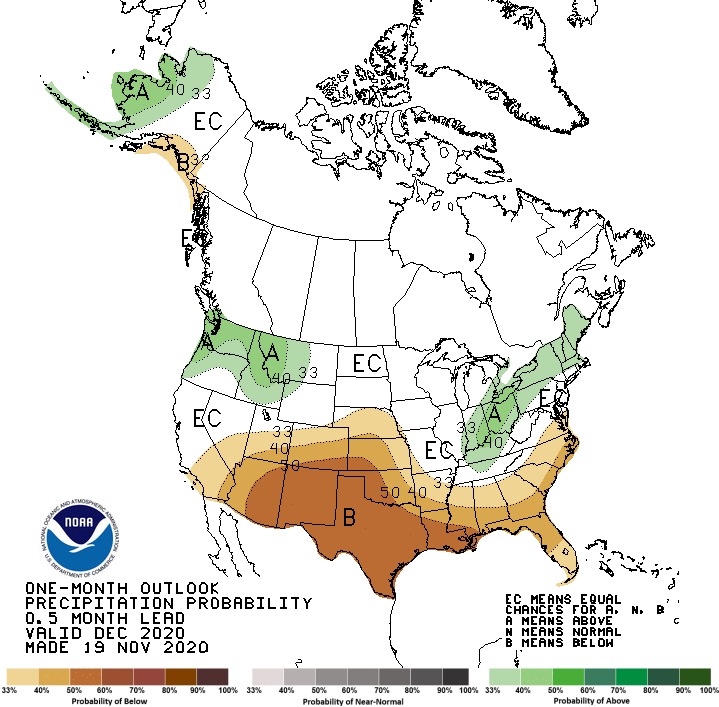
Due to the epically failed Climate Prediction Center outlooks for February 2021, they will no longer be published here. They can be viewed with the following URL:
This week, my amateur radio station became an official digital traffic network (DTN) station. The main operating digital mode is PACTOR, an evolution of both AMTOR and packet radio. PACTOR uses a combination of simple phase shift keying (FSK) modulation, and the ARQ protocol for robust error detection and data throughput. PACTOR is most commonly used on frequencies between 1 MHz and 30 MHz.
I first looked into PACTOR last fall. I abandoned the idea when I learned that the terminal node controllers (TNCs) cost hundreds of dollars, an investment I was not comfortable making at the time. In December, I asked around about becoming a DTN station operator. I was told that the operational mode was PACTOR and I balked about having to obtain the necessary TNC. Then I was told that a used TNC would be provided. All I had to pay was a $15 dollar shipping charge. That was more than acceptable. Soon, the loaner TNC arrived. It was about 25 years old and supposedly could handle the required PACTOR digital node.
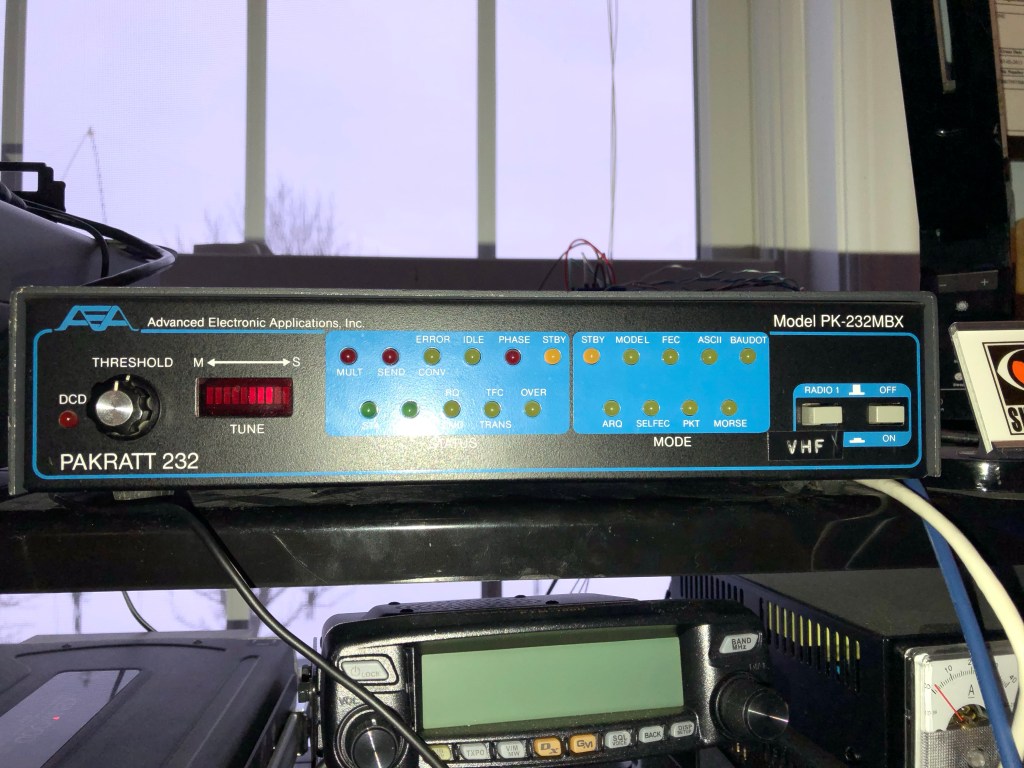
Advanced Electronic Applications, Inc. PK-232MBX TNC
I found a appropriate AC/DC adapter, but I had to jury-rig a mic cable to connect it to my radio and the 5 pins on the back of the TNC. I also had a audio cable on hand for the radio output to the TNC. An RS-232/serial port USB adapter cable connects the TNC to my laptop PC.
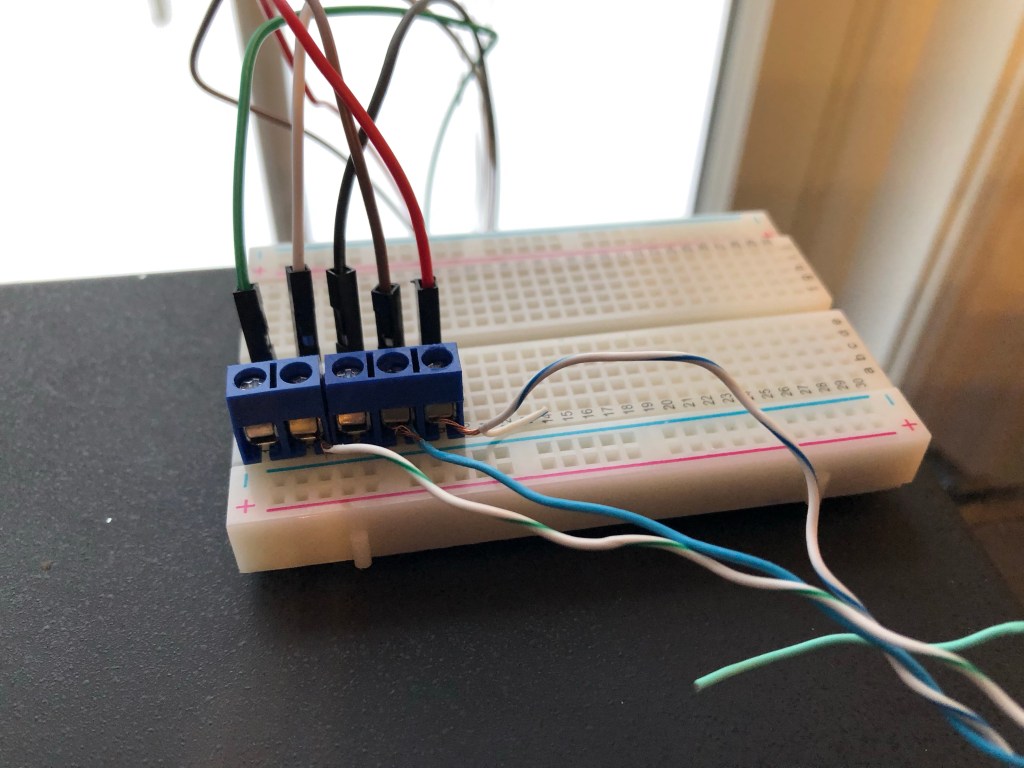
Breadboard for connecting a CAT6 twisted-pair cable to the TNC
The AirMail software was downloaded and installed on my laptop. That needed to be configured to interface with the TNC. The TNC was switched on and AirMail was opened. Following initialization of the HF mode, the TNC successfully initialized. My radio AGC was set to 6 and for 40 watts output. It was then tuned to a frequency for a nearby PACTOR station. Then the receive threshold was properly set on the TNC. I tried to connect to a PACTOR station but no joy.
After several days of troubleshooting, with the assistance of two fellow amateur radio operators, I tried a loopback test on the TNC. This involved disconnecting the TNC from the radio and connecting the mic and audio input pins, on the TNC, with a jumper wire. Then a terminal software app was setup to connect the TNC with itself. This test failed and indicated the problem was with the TNC.
I was able to obtain an identical TNC on eBay for a modest and very affordable price. When it arrived, I quickly set it up for a loopback test. The test was successful. I then connected it to my laptop and radio, and it successfully connected to a PACTOR station. The operators of two PACTOR stations modified their configurations to recognize my station. Then I was able to send and retrieve national traffic system (NTS) messages.
I now routinely log in to retrieve NTS messages from The 3rd Region Hub for The Western Pennsylvania Section, on every even numbered day, sharing the responsibility with another amateur radio operator who checks in on odd numbered days. After retrieving messages, I relay them via The Western Pennsylvania Phone Traffic Net, or deliver them via phone, email or US Mail. I also originate my own messages to send via the NTS.
Contact me if you wish to originate an NTS message.
January started with freezing rain on the first. On, January 3, I measured 3″ of snow. There was more freezing rain on January 26. On January 31, 2 inches of snow had fallen with more to come.
January was 2.6 deg F above normal for temperature. The high for the month was 48.4 deg. F, recorded on January 14. The low for the month was 12.6 deg F, recorded on January 21. There were 30 days at or below 32 F and 5 days when the maximum temperature was at or below 32 F. There were 1064 heating degree days and 0 cooling degree days.
January was a below-normal month for precipitation with 1.05 inches of rainfall recorded, which was 2.06 inches below normal. The maximum rainfall in a single day was 0.36 inches recorded on January 15. There were 12 days of rain >.01 in, 3 >.10 in and 0 > 1 in.
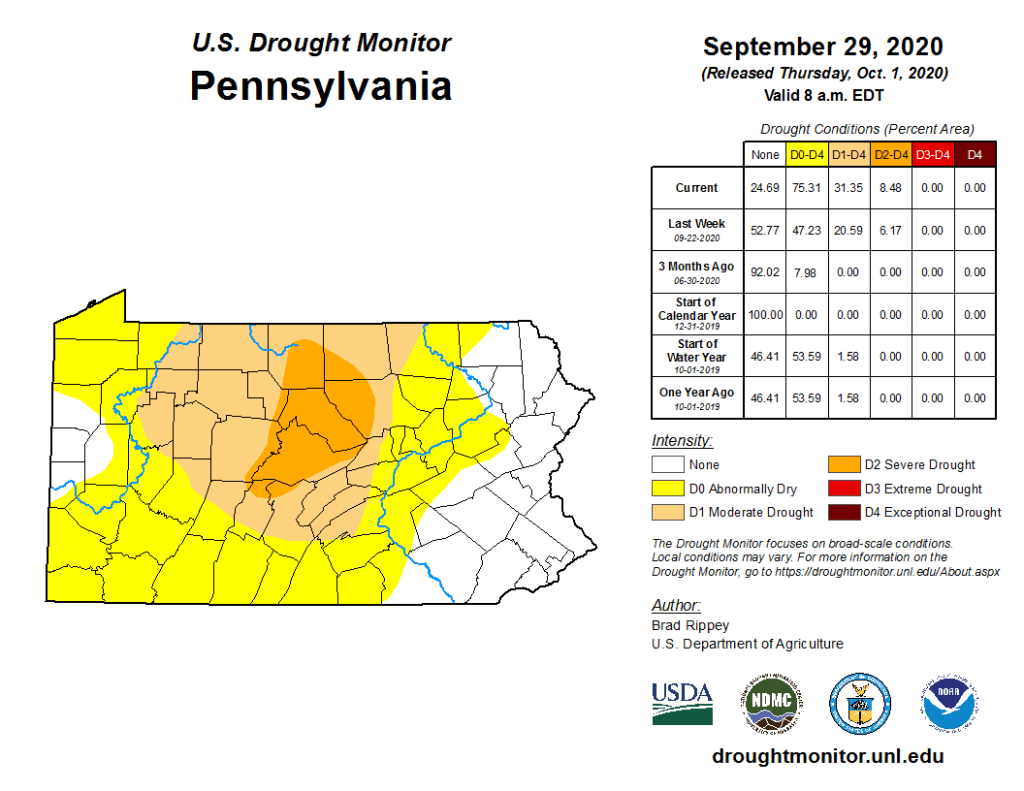
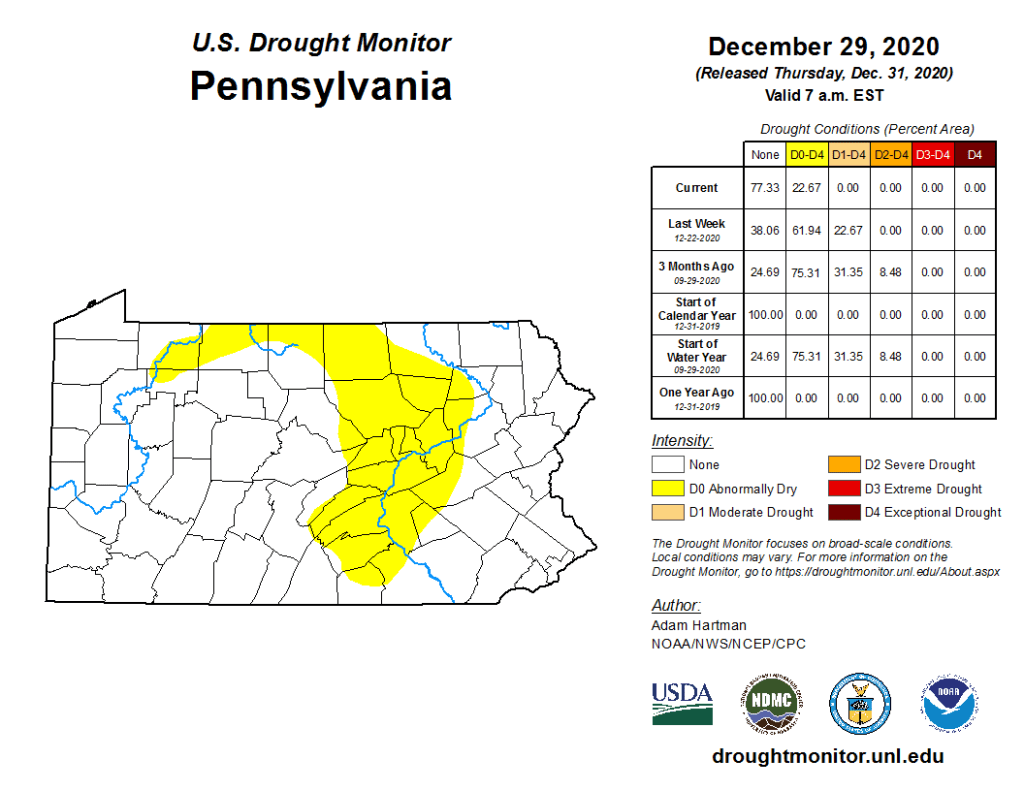
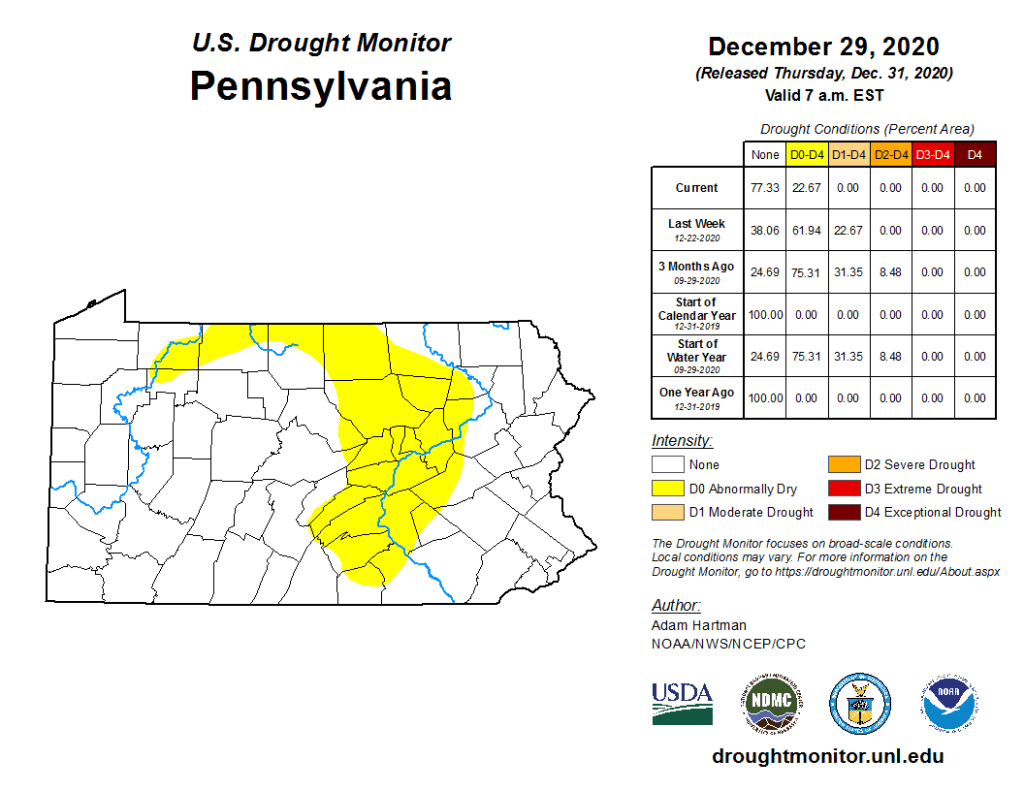
Overall, the year’s temperatures were above normal. The annual mean of 52.1 F was 2.0 F above normal. Of course the main event of 2020 was the drought. The annual precipitation of 36.46 inches was 4.24 inches below normal. Most of Centre County was in a severe drought in September.
However, at the end of the year, the drought in Centre County was essentially over.
2020 Weather Data
January
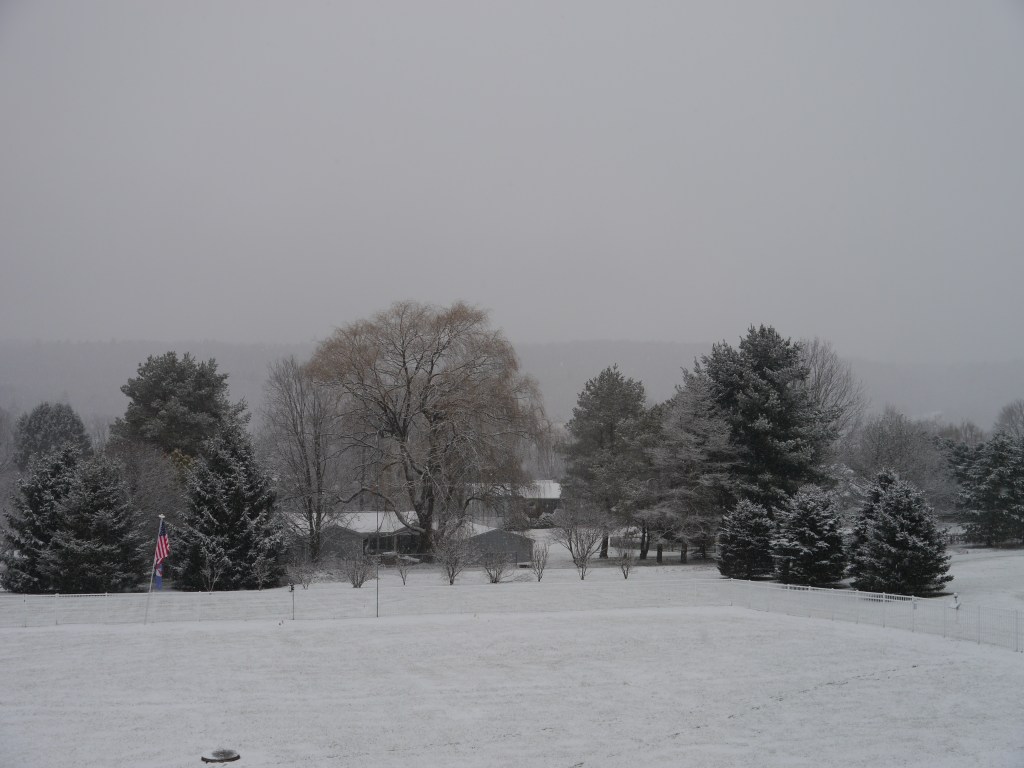
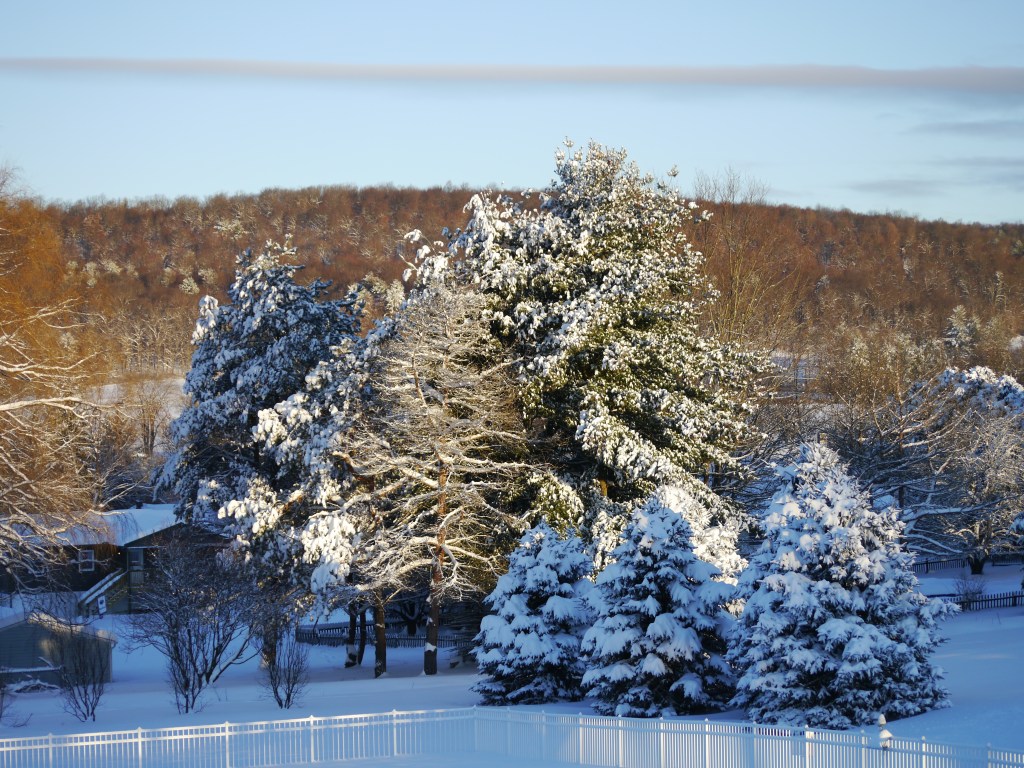
Snowfall on January 7, 2020
January was mild with a monthly mean of 33.2 F, which was 5.1 F above normal, with a high of 64 F and a low for the month of 9 F. Precipitation was 1.07 inches below normal with 2.04 inches of liquid precipitation.
February
The mild winter continued into February which was 5.5 F above normal. The high was 62 F and the low was 6 F, which was also the low for the year. Precipitation was 0.60 inches above normal at 2.87 inches.
March
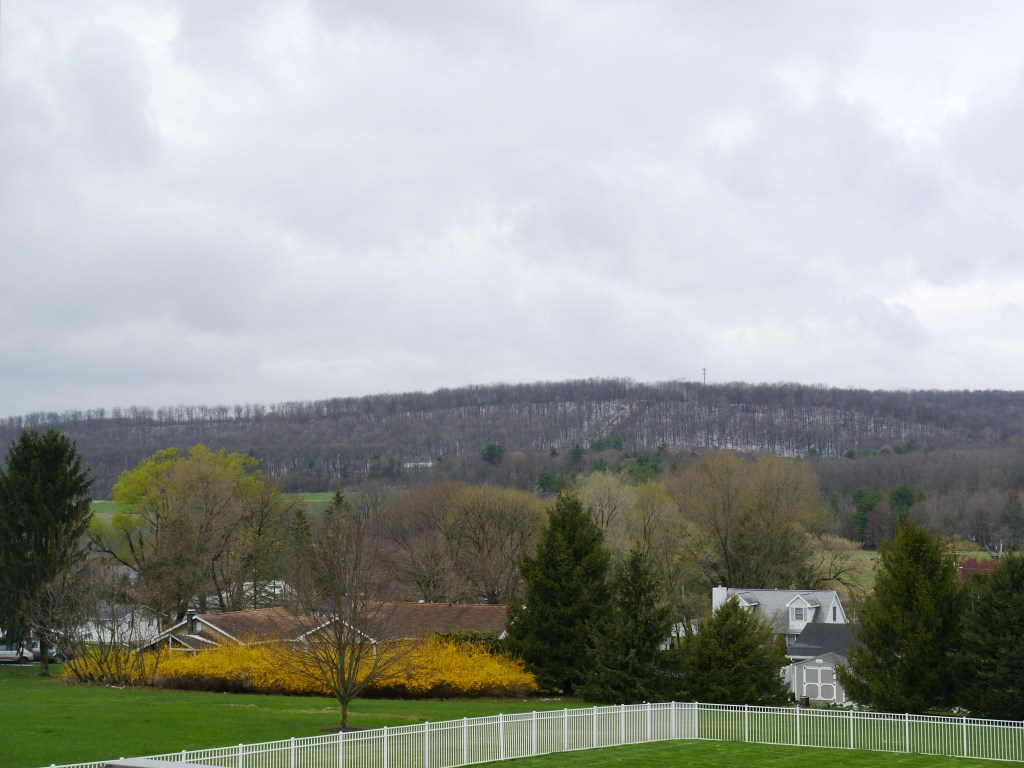
Dusting of snow on Bald Eagle Ridge on March 15, 2020
March temperatures were also mild at 6.0 F above normal with a high of 73 F and a low of 22 F. Precipitation was 1.71 inches above normal with 5.26 inches of liquid precipitation. The high wind speed for the month and year was 47 mph.
April
Dusting of snow on Bald Eagle Ridge on April 18, 2020
Temperatures were 3.1 F below normal in April. The high was 70 F and the low was 24 F. Rainfall was 1.67 inches above normal at 5.06 inches.
May
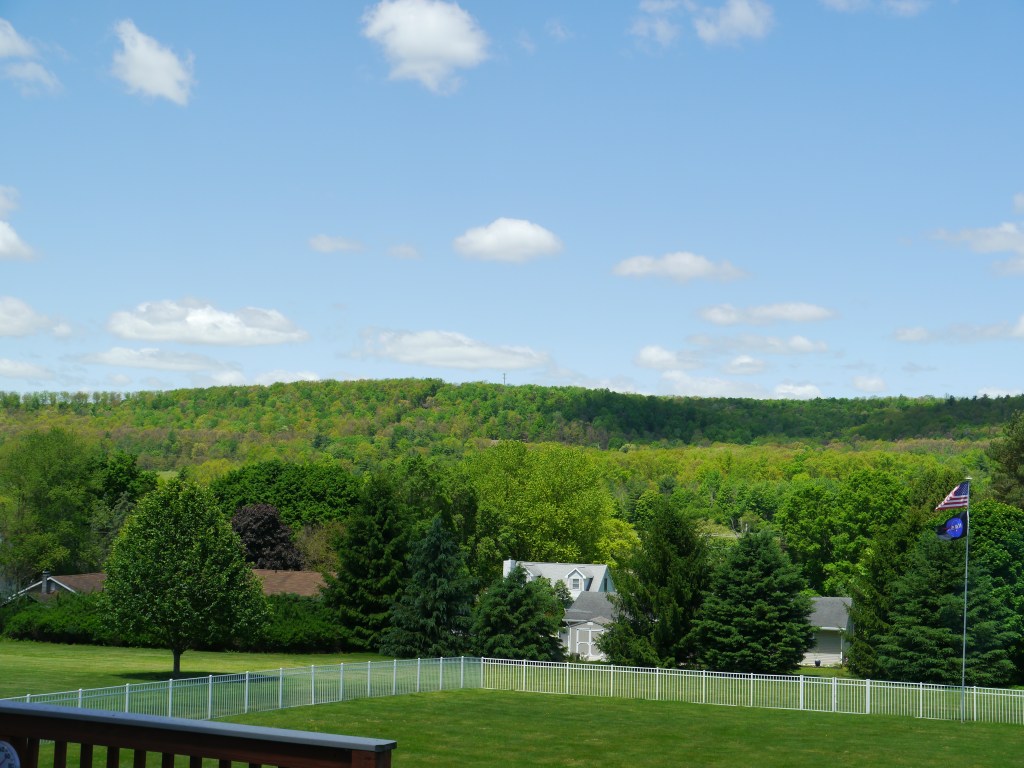
Spring did finally arrive in mid-May. Bald Eagle Ridge on May 31, 2020
Spring temperatures continued to be cooler than normal in spite of a mild March. May was 2 F below normal with a high of 86 F and a low of 27 F. Precipitation was 1.72 inches which was 1.51 inches below normal. This was perhaps the harbinger of the future drought conditions. The last day of temperatures below freezing was May 13.
June
Temperatures for the month were near normal. The high was 88 F and the low was 41 F. Precipitation was 0.94 inches above normal with 4.80 inches of rainfall.
July
July was the warmest month of the year. The temperatures were 3 F above normal. The high for the month and year was 95 F and the low was 55 F. Rainfall was 2.27 inches below normal with 1.19 inches of precipitation.
July also gave us outstanding views of Comet Neowise.
Comet Neowise from Stormstown, PA
August
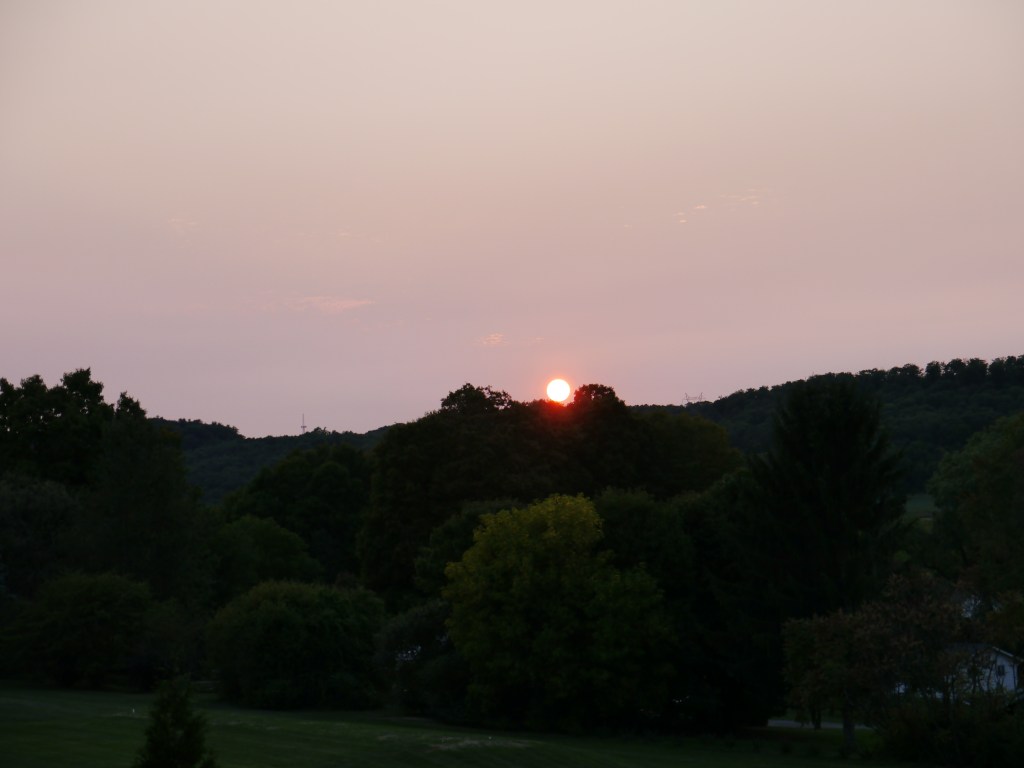
Forest fires in the western U.S. provided spectacular sunsets. August 15, 2020
The month’s temperatures were 2 F above normal. The high was 93 F and the low was 47 F. Precipitation was 2.66 inches below normal at 3.42 inches. The drought was getting severe.
September
Hazy sunset due to the western forest fires. September 22, 2020
Temperatures were near normal this month. The high was 86 F and the low was 32 F. Drought conditions continued with 2.61 inches of rainfall. This was 1.37 inches below normal. The first freeze of the season was September 20.
October
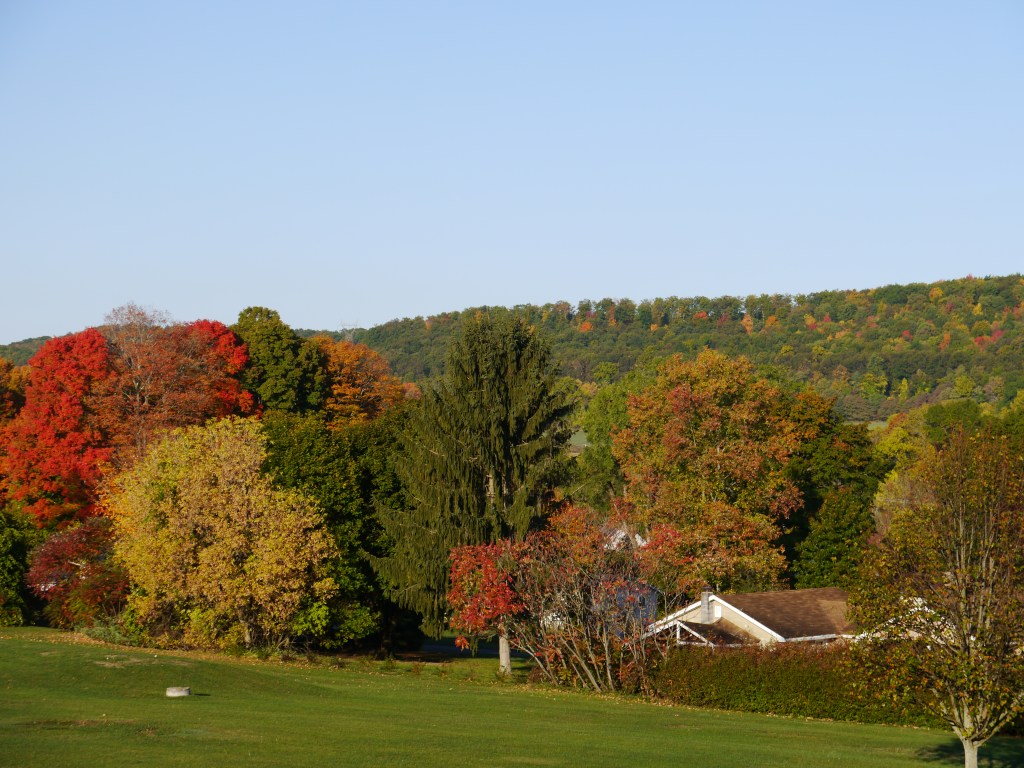
Fall foliage, Sormstown, October 9, 2020
October was warmer at 1.0 F above normal. The high was 81 F and the low was 28 F. Rainfall was below normal at 2.96 inches, which was 0.38 inches below normal.
November
Temperatures were mild in November and were 3.7 F above normal. The high was 76 F and the low was 22 F. Precipitation was 3.44 inches, 0.20 inches above normal.
December
December was the coldest month of 2020. The mean temperature was 32.6 F. The temperatures were 0.8 F above normal. The high was 55 F and the low was 11 F. Precipitation was 0.10 inches below normal at 1.88 inches.
December was 0.8 deg F above normal for temperature. The high for the month was 55.3 deg. F, recorded on December 11. The low for the month was 12.9 deg F, recorded on December 19. There were 25 days when the minimum temperature was at or below 32 F and 5 days when the maximum temperature was at or below 32 F. There were 1003 heating degree days and 0 cooling degree days.
December was a near-normal month for precipitation with 3.03 inches of rainfall recorded, which was 0.10 inches below normal. The maximum rainfall in a single day was 1.88 inches recorded on December 24. There were 12 days of rain >.01 in, 5 >.10 in and 1 > 1 in.
November was 3.7 deg F above normal for temperature. The high for the month was 76.0 deg. F, recorded on November 8. The low for the month was 22.0 deg F, recorded on November 19. There were 8 days at or below 32 F and 0 days when the maximum temperature was at or below 32 F. There were 593 heating degree days and 8 cooling degree days.
November was a above-normal month for precipitation with 3.44 inches of rainfall recorded, which was 0.20 inches above normal. The maximum rainfall in a single day was 1.24 inches recorded on November 11. There were 9 days of rain >.01 in, 8 >.10 in and 1 > 1 in.






 Stormstown Dispatch